The contemporary home office prioritizes efficiency, comfort, and adaptability, particularly as remote work becomes increasingly popular. In fact, 70% of employees favor remote or hybrid work environments. An excellent addition to this set-up is a projector, which provides versatility and larger displays. Studies indicate that using projectors can boost productivity by up to 20%. Whether for presentations, video conferencing, or leisure activities, here’s how to effectively integrate a projector into your home office to enhance both functionality and comfort.
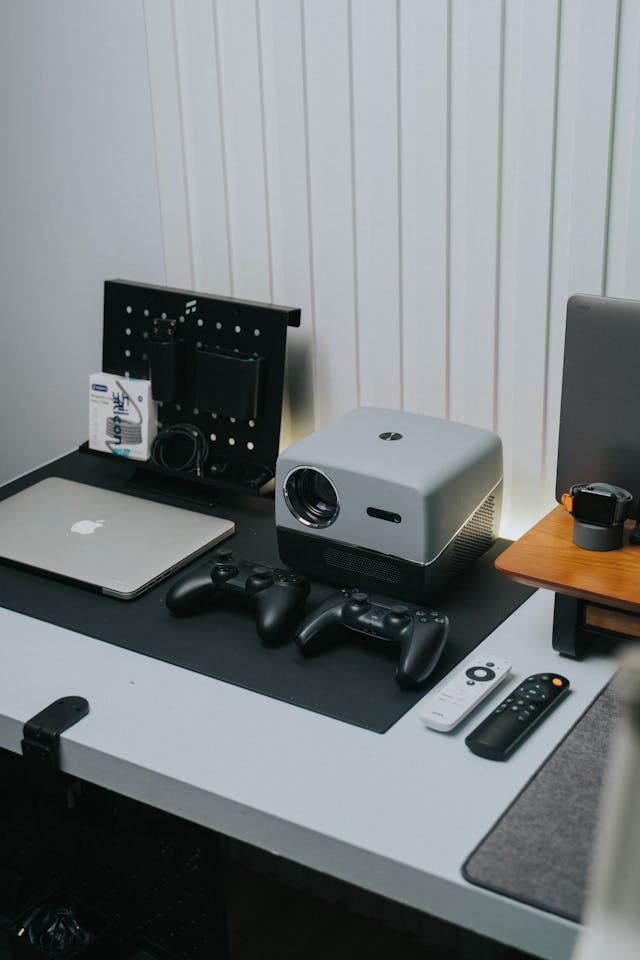
Why Opt for a Projector in Your Home Office?
Integrating a projector into your home office comes with several advantages compared to traditional monitors. A 4K projector is ideal for those needing high-definition visuals, offering a larger screen size for multitasking, presentations, and creative projects like design or video editing. Bigger displays can help to reduce eye strain and make viewing and managing tasks more comfortable. The ability to customize display size to fit your workspace means you’re not confined to the fixed dimensions of a conventional monitor.
Moreover, a projector brings additional flexibility. Once work is completed, you can effortlessly transform your setup for personal entertainment, making movie nights, gaming, or streaming much more enjoyable on a larger screen.
Choosing the Right Projector
When selecting a projector for your home office, consider its size, resolution, and ease of use. A compact yet powerful 4K projector delivers remarkable clarity and vibrant colors, making it perfect for detailed graphics, video editing, and presentations. Its portable design also allows for flexible placement within your home office.
Additionally, explore the connectivity options available. Look for a projector that offers Wi-Fi or Bluetooth capabilities, as wireless connections minimize cable clutter and allow easy transitions between devices.
Setting Up Your Projector
Once you’ve selected the appropriate projector, the next step is to set it up optimally in your home office. Proper placement can maximize the performance of your projector. Here are some steps for an optimal viewing experience:
- Find the Right Placement: Determine the best spot for your projector to ensure optimal viewing. If desk space is limited, consider ceiling mounting.
- Select the Right Screen: While a clean white wall might suffice, a dedicated projector screen will significantly enhance image quality, providing a smoother, more reflective surface for improved brightness and sharpness.
- Control Lighting: To reduce glare and improve picture quality, position your projector in an area with minimal direct light. Installing blackout curtains can help block outside light for a better viewing experience.
- Connect Devices: Ensure your projector connects easily with your computer, laptop, or other devices. Wireless options help maintain a tidy workspace and allow for quick transitions between presentations and meetings.
Exploring Additional Uses for Your Projector
One of the standout features of having a projector in your home office is its versatility. When not in use for work, you can easily convert your office into a space for entertainment. High-quality outdoor projectors can smoothly transition from your indoor environment to your patio or backyard. With the suitable setup, you can host movie nights, enjoy gaming, or simply indulge in a quiet moment under the stars.
A projector is also a valuable tool for interactive brainstorming, making it easier to display large documents or share content with a group.
Final Thoughts
Establishing a home office with a projector offers a range of advantages for both work and relaxation. It promotes efficiency and productivity, while also allowing for a seamless transition to a comfortable space during downtime. Whether you’re looking to set up a home projector for your busy workday or for enjoyable evenings with family and friends, the versatility and visual clarity a projector provides can elevate your workspace to new heights.
By selecting the right equipment and following these guidelines, you can craft an efficient and enjoyable home office tailored to your needs.
Add Your Comment Cancel reply